

ManyChat runs five plans, Free, Essential, Pro, Business, and Advanced, priced around a metric called Active Contacts rather than flat seats or messages sent. I’ve spent time in a few of these tiers directly, so here’s what each one actually costs and what genuinely changes as you move up.
ManyChat Pricing Overview
Get a complete breakdown of all ManyChat plan tiers, features, and pricing options to find the right chatbot and messaging solution for your business needs.
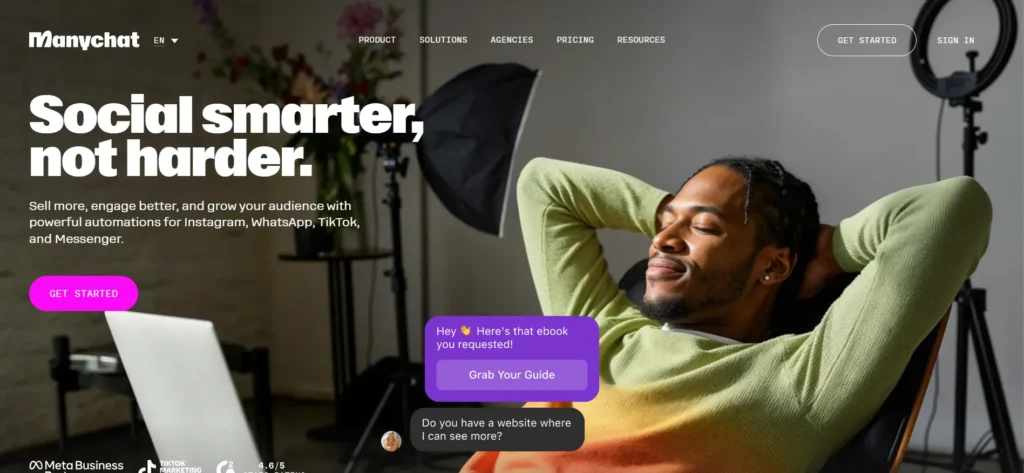
| Plan | Monthly Price | Annual Price | Active Contacts | Best For |
| Free | $0 | $0 | 25/month | Testing basic automation |
| Essential | $14/mo | $168/yr (18% off) | 250/month | Creators, growing brands |
| Pro | $29/mo | $348/yr (25% off) | 2,500/month | Scaling creators, growing businesses |
| Business | $69/mo | $828/yr (30% off) | 7,500/month | Scaling businesses, high-growth creators |
| Advanced | $139/mo | $1,668/yr (30% off) | 25,000/month | Teams, high-volume operators |
Annual billing gets you a genuinely bigger discount as you move up tiers, 18% off Essential, but a full 30% off both Business and Advanced. Prices don’t include tax, and your exact price is determined by your billing country.
What’s an Active Contact, Actually?
This confused me at first, so let me save you the same confusion. An Active Contact is a real person you interact with during a monthly billing period, whether that’s through messages, automations, AI, Broadcasts, or the Inbox.
It doesn’t matter how many messages that person sends you, one person equals one Active Contact for the month, period. That’s genuinely more forgiving than I expected going in, since I assumed heavier message volume from a single engaged follower would cost more, and it doesn’t.
Free Plan: $0
Free requires no credit card and includes:
- 25 Active Contacts per month
- Connect any 2 channels (Instagram, TikTok, Messenger, or Telegram)
- Basic automations, up to 4 active automations
- 1 user
- Basic unified Inbox (1 seat)
- Self-serve support (Help Center, AI chat, Community)
- “Powered by Manychat” branding on your first message to each contact
I used Free for about a week before upgrading, and it’s genuinely enough to test whether automation fits your actual workflow before spending anything. The branding and the 25-contact cap are the real limits, not the functionality itself.
Essential Plan: $14/Month ($168/Year, 18% Off)
Essential is built for creators and growing brands stepping past Free’s limits. Includes:
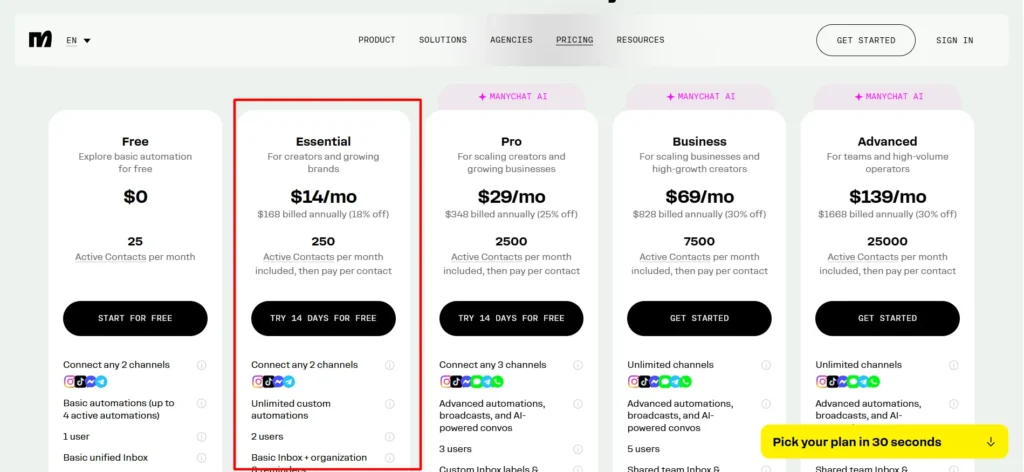
- 250 Active Contacts per month included, then pay per additional contact
- Connect any 2 channels
- Unlimited custom automations
- 2 users with role-based permissions
- Basic Inbox plus organization and reminders (1 seat)
- Email support on business days
- No “Powered by Manychat” branding
The jump from Free to Essential is mainly about removing caps, unlimited automations instead of 4, and removing the branding, rather than adding entirely new feature categories.
Pro Plan: $29/Month ($348/Year, 25% Off)
This is where Manychat AI genuinely enters the picture. Pro includes:
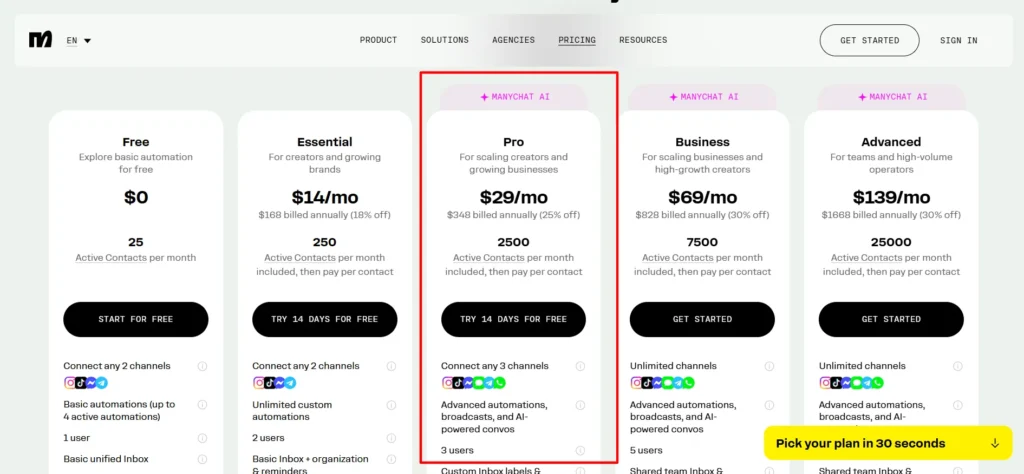
- 2,500 Active Contacts per month included, then pay per additional contact
- Connect any 3 channels, now including WhatsApp and SMS in the eligible list
- Advanced automations, Broadcasts, and AI-powered conversations
- 3 users with role-based permissions
- Custom Inbox labels and rules (2 seats)
- Email support
- Full AI: train it on your business and tone, let it respond to DMs, answer FAQs, and reply to comments automatically
- No branding
If WhatsApp or SMS matter to your strategy at all, Pro is your actual entry point, not Essential, since those channels simply aren’t available on the two cheaper tiers.
Business Plan: $69/Month ($828/Year, 30% Off)
Built for scaling businesses and high-growth creators. Includes everything meaningful from Pro, plus:
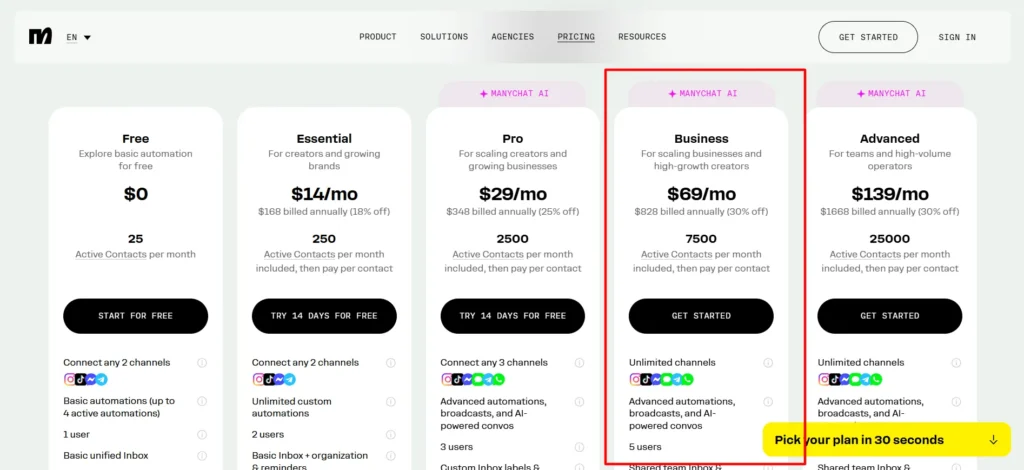
- 7,500 Active Contacts per month included, then pay per additional contact
- Unlimited channels, every eligible channel connected at once
- 5 users with role-based permissions
- Shared team Inbox and assignments (3 seats)
- Priority support, faster email response times
- Same full AI capabilities as Pro
Business is where team collaboration actually shows up: shared Inbox assignments mean multiple people can manage conversations without stepping on each other, and priority support matters once you’re running something revenue-critical.
Advanced Plan: $139/Month ($1,668/Year, 30% Off)
For teams and high-volume operators. Includes everything in Business, plus:
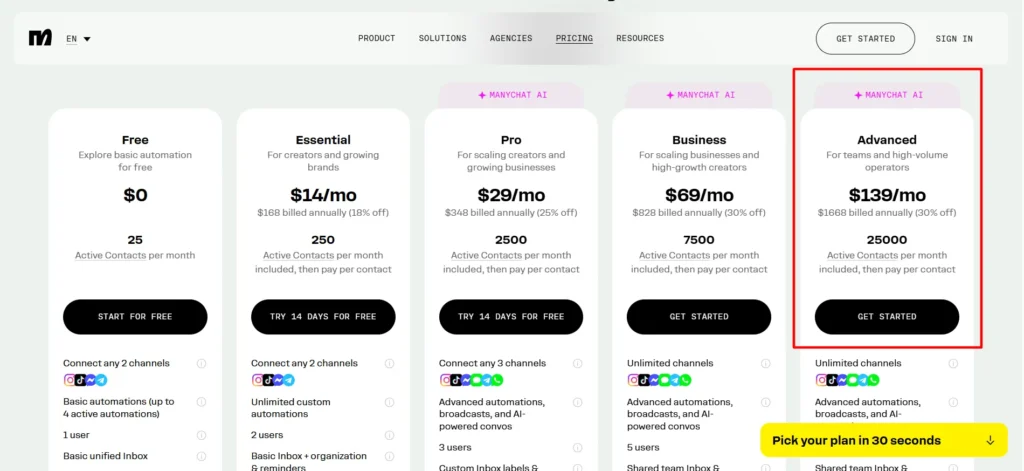
- 25,000 Active Contacts per month included, then pay per additional contact
- 10 users with role-based permissions
- Shared team Inbox and assignments (5 seats)
- Priority support, fastest available email response times
The jump from Business to Advanced is almost entirely about scale, more contacts, more users, more Inbox seats, rather than new feature categories. If you’re not near Business’s limits yet, Advanced probably isn’t necessary.
Overage Pricing: What Happens Past Your Included Contacts
Every paid plan lets you exceed your included Active Contacts rather than shutting off, you just pay per additional contact. Here’s the per-contact overage rate by plan:
| Plan | Monthly Overage Rate | Annual Overage Rate |
| Essential | $0.10 | $0.082 |
| Pro | $0.05 | $0.038 |
| Business | $0.025 | $0.018 |
| Advanced | $0.004 | $0.0028 |
Notice how sharply the per-contact rate drops as you move up tiers. If you’re consistently paying meaningful overage fees on a lower plan, the math often favors upgrading rather than absorbing the overage charges long-term, I did this math myself once my Essential overages started adding up and Pro turned out cheaper overall.
What Happens If I Hit My Limit Mid-Month?
ManyChat sends multiple warnings, by email and in-platform, as you approach your monthly Active Contact limit, so you won’t get blindsided by a surprise bill.
If you exceed your limit and upgrade to a higher plan within the same billing cycle, any overage fees already incurred get forgiven, and those contacts count toward your new plan’s allowance instead.
You can also set an overage threshold yourself, capping exactly how many additional Active Contacts you’re willing to pay for before automations pause.
Channel Access by Plan
This is genuinely the detail I wish I’d understood before picking my first paid plan:
| Channel | Free | Essential | Pro | Business | Advanced |
| Yes | Yes | Yes | Yes | Yes | |
| Messenger | Yes | Yes | Yes | Yes | Yes |
| TikTok | Yes | Yes | Yes | Yes | Yes |
| Telegram | Yes | Yes | Yes | Yes | Yes |
| No | No | Yes | Yes | Yes | |
| SMS | No | No | Yes | Yes | Yes |
| No | No | Up to 10k emails | Up to 30k emails | Up to 100k emails |
Can I Try a Paid Plan Before Committing?
Yes, and I’d genuinely recommend it. Essential and Pro both come with a real 14-day free trial, no credit card tricks, cancel if it’s not working for you. Business and Advanced don’t offer a free trial directly, you go straight to “Get Started,” though ManyChat’s 30-day refund window still applies if you change your mind shortly after purchasing.
Upgrading, Downgrading, and Cancelling
A few billing mechanics worth knowing before you commit: upgrading takes effect immediately, with your current plan’s unused portion prorated as credit toward the new one. Downgrading only takes effect at your next billing period for monthly plans, and annual plans can’t be downgraded until the current term ends.
You can switch from monthly to annual at any time, with your unused monthly payment credited toward the annual charge, but you can’t go the other direction (annual to monthly) until your annual term finishes. Cancellation is available anytime, and if it’s been under 30 days since purchase, you can get a refund by just messaging support.
Real Cost Examples From My Own Testing
To make this concrete: when I ran a small Instagram automation account through Essential, I stayed comfortably under the 250 Active Contact cap most months, no overage charges at all.
Once I moved a client project onto Pro for its AI conversation handling, that account regularly ran 3,000 to 3,500 Active Contacts a month, meaning I paid roughly $25 to $38 in monthly overage on top of the base $29, still meaningfully cheaper than jumping straight to Business’s $69 base price for that volume.
That’s the actual math worth running yourself: compare your expected overage cost against simply upgrading a tier, since the crossover point isn’t always where you’d assume.
Pros & Cons: ManyChat Pricing
Pros
- Active Contact pricing is genuinely more forgiving than per-message pricing once you understand it
- Free plan is real, usable functionality, not a stripped demo
- Overage rates drop sharply at higher tiers, rewarding growth rather than punishing it
- 14-day free trials on Essential and Pro let you test before committing
- Clear warnings before you hit your contact limit, no surprise bills
Cons
- WhatsApp and SMS gated behind Pro or higher, a real limitation if that’s your primary channel
- “Powered by Manychat” branding on Free and until you upgrade past it feels restrictive for creators wanting to look polished immediately
- Understanding Active Contacts versus message volume takes a minute to fully click
- Business and Advanced don’t offer the same free-trial safety net as Essential and Pro
FAQs: Manychat Pricing
Do I need a credit card to start with ManyChat?
No, the Free plan requires no credit card at all. Paid plans do require one at signup, and ManyChat accepts Visa, Mastercard, American Express, and Discover.
What exactly counts as an Active Contact?
Anyone you interact with during a monthly billing period, through automations, AI, Broadcasts, or the Inbox. One person counts as one Active Contact regardless of how many messages you exchange with them that month.
What happens if I exceed my plan’s Active Contact limit?
Your automations keep running rather than shutting off. You’ll pay a small per-contact overage fee, and ManyChat warns you multiple times before you hit your limit so it’s never a surprise.
Can I try Pro or Essential before paying?
Yes, both offer a genuine 14-day free trial. No strings, cancel if it’s not for you.
Which plan do I need for WhatsApp or SMS specifically?
Pro or higher. WhatsApp and SMS aren’t available on Free or Essential at all, a detail worth knowing before you pick a plan based on price alone.
Can I get a refund if I don’t like ManyChat after paying?
Yes, if it’s been under 30 days since purchase, message support and they’ll process a refund.
Is ManyChat officially approved to work with Instagram, WhatsApp, and TikTok?
Yes, it’s an official Meta Business Partner and one of the few platforms with an official TikTok partnership too.
Which Plan Should You Actually Choose?
Start Free to confirm automation genuinely fits your workflow before spending anything. Move to Essential once the branding and 4-automation cap become limiting. Jump straight to Pro if WhatsApp, SMS, or the AI conversation features matter to your strategy, don’t waste money on Essential first if you already know you need those.
Business makes sense once you’re managing real team collaboration and want priority support. Advanced is purely a scale play, only worth it once you’re genuinely approaching Business’s contact and user limits.